Editor’s Note: This hands-on review of the Jabra PanaCast U30 reflects the opinions and experiences of the author.
Integrators who design and deploy huddle rooms know the challenges they tend to present: They’re small, budgets are frequently constrained and end users want the meeting to simply work — no IT calls, no support tickets and no friction.
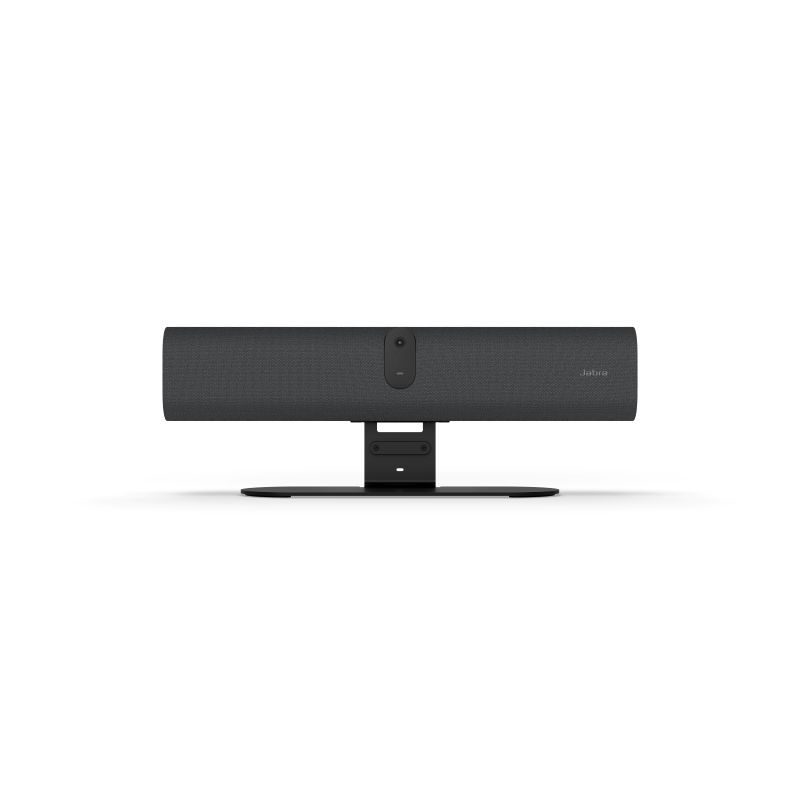
Increasingly, we’re seeing the supplier community respond with BYOD-first videobars that center simplicity as foundational to the design. The Jabra PanaCast U30 is a highlight in this category. After putting it through its paces in my small home-office setup, I came away convinced that the PanaCast U30 belongs on the short list when integrators are outfitting small meeting rooms.
The U30 is purpose-built for smaller spaces — the kind of rooms that accommodate up to about six people. And that targeting is a feature, not a bug: The company didn’t design it to do everything in every room; Jabra designed it to meet a specific need very well.
Components and Initial Setup
If you’ve read previous Commercial Integrator product reviews that I’ve written, you know that I approach product setup and configuration cautiously. Make no mistake: I’m a journalist, not a technologist. When assessing a simplicity-minded, user-friendly videobar, however, I may be a good analog for the typical end user. And as I dug into the thoughtfully assembled box, I found that my caution was largely unwarranted.
The box contains the videobar itself, a USB-C to USB-C cable (about six feet), power cable and power supply, privacy cover, cable compartment cover and mount. (Other mounts/stands available separately.)
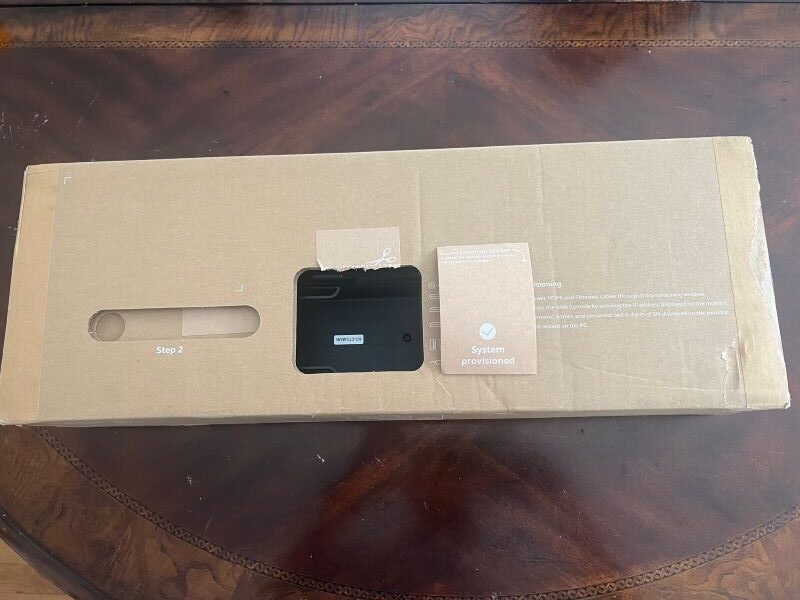
For enterprise IT deployments, setup can begin before the unit even leaves the packaging. Jabra built a provisioning window into the box. Photo by Emerald/Commercial Integrator.
For enterprise IT deployments, setup can begin before the unit even leaves the packaging. Jabra built a provisioning window into the box, allowing power, HDMI and Ethernet cable connections, as well as initial configuration, to begin before the device is fully unboxed. Being curious, I tried using the provisioning window but found it a bit tight and awkward. But then again, individual users like me aren’t deploying videobars at enterprise scale!
From there, the Web Console walks users through the setup wizard. A Wi-Fi option — enabled by holding a QR code in front of the bar’s camera — adds further flexibility.
Getting collaboration setups online has become table stakes for integrators; an integration business’ competitive differentiator actually lies in ensuring outstanding client outcomes. In support of the goal, Jabra offers placement guidance via a handy positioning guide to minimize guesswork and get placement right. This boosts integrator confidence and efficiency.
For end users, meanwhile, the experience distills down to walking in the room, seeing the onboarding wallpaper on the display, plugging in a single USB-C cable and starting the meeting. Minimal friction means fewer support calls and happier clients.
Jabra PanaCast U30: Audio Quality
The PanaCast U30’s audio is built on the same foundation as Jabra’s P40 VBS platform, just scaled for smaller spaces — and the heritage shows. Six microphones with -37 dBFS sensitivity and a frequency range of 100Hz to 16,000Hz capture voices clearly across a small meeting table. And the integrated speaker, which covers 80Hz to 20,000Hz, supports natural, highly intelligible speech reproduction.
Perhaps the most notable audio feature is the PanaCast U30’s noise-suppression capabilities. Even when a meeting participant is playing music in the background, a simple switch in suppression settings pulled down ambient sound while keeping the speaker highly intelligible. Jabra pairs this with echo cancellation, automatic speaker detection and non-speech noise suppression. As such, the PanaCast U30 covers most of the audio challenges that small rooms are likely to present.
These features underline the clear intentionality in Jabra’s design. The PanaCast U30 isn’t a bar for large spaces, and it wasn’t designed to be. The audio features reflect that. But for huddle rooms and small meeting environments, a focused approach is an unambiguous strength. The PanaCast U30 addresses small meeting room needs without overcomplicating setup or straining budgets.
Jabra PanaCast U30: Visual Performance
The PanaCast U30’s camera represents a deliberate departure from wider-angle formats found elsewhere in Jabra’s portfolio. It uses a 120-degree horizontal field of view — paired with a 61-degree vertical and 132-degree diagonal — and shoots with a 4K sensor. The camera supports up to 6x total digital zoom at 720p. This gives integrators and room administrators meaningful flexibility in framing the space.
Hands-on testing showed that the 120-degree field of view suits the small-room use case extremely well. I found that participants were framed naturally, coverage was solid across the intended footprint and panoramic mode enabled broader views. The PanaCast U30 offers manual and digital pan, tilt and zoom capabilities, as well.
I’d argue that the intelligent video features are the biggest standouts. The camera offers three automated framing modes — Intelligent Zoom, Virtual Director and Dynamic Composition — that allow you to choose how the camera automatically follows the conversation. As people speak, the framing simply adjusts, delivering a meeting experience that I found more natural and engaging.
Even more importantly, the transitions all seemed deliberate rather than reactive. That is, the camera waited a beat before reframing, helping to deliver a less jarring viewing experience. Single-stream dynamic composition supports views that combine individual speakers with a room-level perspective, and intelligent meeting space allows configuration for glass-walled rooms or open-plan areas. This kind of configurability is welcome news for integrators handling varied room types across enterprise deployments.
Another notable inclusion? The PanaCast U30 supports integrated people counting, a feature seemingly custom-built for IT and facilities management.
Control and User Interface
In an era when integrators routinely oversee highly complex deployments, the first question when analyzing a new product is how much friction they’ll encounter when managing it. The PanaCast U30 supports both network-based and USB-based management. The latter is particularly appealing for public-sector clients and other institutions that may restrict what sits on the network.
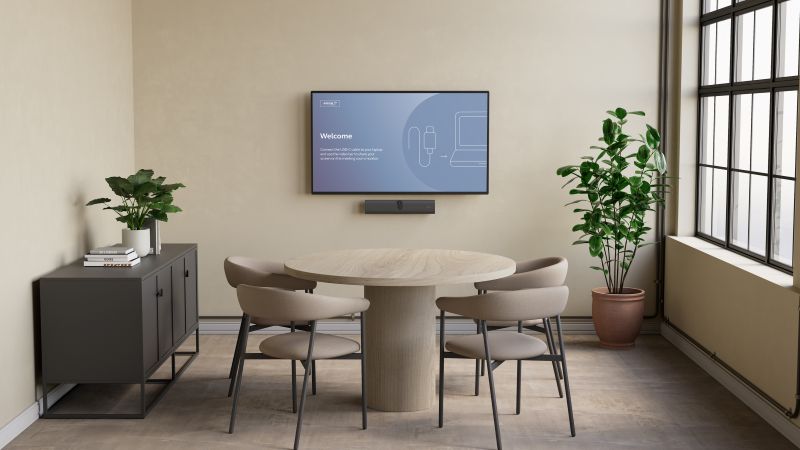
The Jabra PanaCast U30 is right at home in a small room that can accommodate about six people. Photo courtesy of Jabra.
For environments in which centralized oversight is desirable, Jabra Plus delivers remote monitoring, updates and multi-room management through a single interface. Moreover, a CLI tool extends that capability to USB-managed devices. Thus, whether managing centrally, via the CLI or through the Web Console, the U30 fits the workflow. The PanaCast U30 boasts built-in flexibility across deployment scales — from a single SMB room straight through to enterprise-wide rollouts.
The PanaCast U30 runs on Android and operates as a plug-and-play BYOD device. It’s able to transition into USB peripheral mode should a room eventually adopt Microsoft Teams Rooms on Windows or Zoom Rooms for Windows.
The PanaCast U30’s feature set is already differentiated at this price point, but the roadmap promises further refinements. A firmware update will enable custom wallpapers; this will give organizations the ability to brand the display with logos or support information. Jabra is also planning native Airtame integration for content sharing, with activation via a license rather than through additional hardware.
I wasn’t able to test forthcoming features, but the planned enhancements illustrate an iterative approach focused on continuous improvement.
Jabra PanaCast U30: Closing Thoughts
At an MSRP of $899, the Jabra PanaCast U30 is a compelling option for integrators standardizing across small-room deployments.
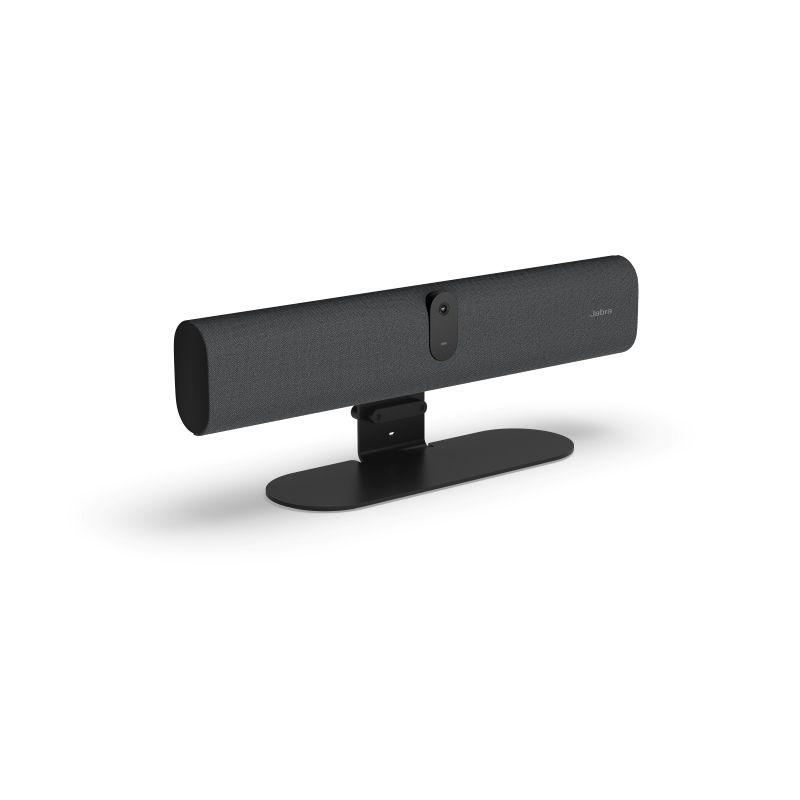
The U30 is a compelling option for integrators standardizing across small-room deployments. Photo by Emerald/Commercial Integrator.
Suiting rooms up to about 15 feet by 15 feet, the product aligns well with Microsoft Teams and Zoom environments. It delivers capable audio and intelligent, highly natural video. And, most important for integrators, the deployment model is fast and repeatable, enabling them to get onto the next room and the next project.
A closing thought on Jabra’s design intentionality: With the PanaCast U30, the company built a small-room bar and committed to a specific vision. The single-cable BYOD experience, the onboarding wallpaper, the included mount and the dual management path reflect a product built for real-world deployments — not idealized trade show demos. And that design, I believe, will facilitate frictionless, highly effective end-user experiences across small-scale collaboration environments.
The Jabra PanaCast U30 earns its place in the room spec for integrators specifying huddle rooms and small meeting spaces.