
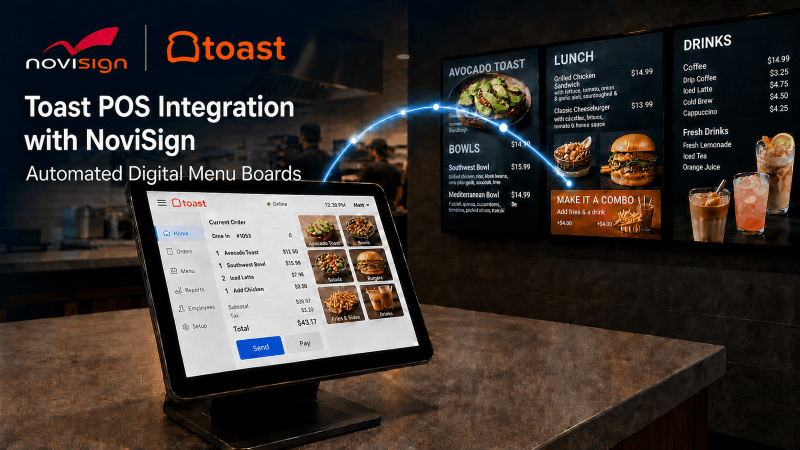
Key Things to Know
- NoviSign released an integration that connects Toast POS menu data directly to NoviSign digital menu boards.
- Menu items, prices, descriptions, categories and availability sync automatically across connected displays.
- The integration removes the need to enter the same menu changes twice in separate systems.
- Target users include quick-service restaurants, cafes, bars, franchises and multi-location groups.
- Operators keep control over on-screen layouts, images, video and daypart scheduling.
What Did NoviSign Announce?
NoviSign launched an integration with Toast that lets restaurants connect their Toast POS menu data directly to NoviSign digital menu boards. The digital signage software provider says the integration brings point-of-sale menu data onto customer-facing screens without duplicate work.
For integrators who install and support signage in restaurant environments, the move ties two systems that operators already use into a single data flow.
How Does the Integration Work?
The integration automatically synchronizes menu items, prices, descriptions, categories and product availability with restaurant screens. When staff update published menu information in Toast, connected NoviSign displays reflect the change without a second round of edits.
That automatic sync targets a common pain point in restaurant signage. Operators managing frequent price changes, limited-time items and shifting availability no longer need to repeat each edit in a separate signage system.

Why Does This Matter for Restaurant Operators?
The integration reduces administrative work and helps keep customer-facing menus current. Restaurants that change prices or run limited-time offers can push updates from one place, which lowers the chance of screens showing outdated information.
“Restaurant menu data should not stop at the point of sale,” says Gil Matzliah, CEO of NoviSign. “By connecting Toast directly with NoviSign, we bring that data to customer-facing screens, helping restaurants respond faster to menu changes, reduce repetitive work, and create a more consistent guest experience.”
What Can Restaurants Do With the Integration?
Restaurants can use the integration to automate the core menu data that changes most often. According to NoviSign, the feature set covers several everyday tasks:
- Automatically synchronize menu items, prices and descriptions
- Display updated product availability
- Organize menu content by category
- Reduce manual updates and potential errors
- Synchronize menu information across multiple restaurant locations
Each function points back to the same goal: fewer manual steps between the POS and the screen.
Who Controls How the Menu Looks on Screen?
Operators keep control over the on-screen presentation while Toast supplies the underlying menu data. NoviSign lets them customize layouts, add product images and video, promote specials and combos and schedule different content for breakfast, lunch, dinner or happy hour.
That split matters for integrators. The data stays accurate through the POS connection, while the design and daypart scheduling remain in the signage platform where operators expect them.
Which Restaurants Is the Integration Built For?
The integration is designed for independent restaurants, cafes, bars, quick-service restaurants, franchises and multi-location restaurant groups. It supports consistent branding across locations while allowing location-specific menus, pricing and promotions.
For multi-location groups, that combination addresses a frequent challenge: keeping a shared brand look while still reflecting the right prices and items at each site.
How Can You Learn More?
You can review the technical details on the NoviSign integration page for Toast. Explore the NoviSign integration with Toast to see how the menu data connects to the displays and how the setup fits the restaurant projects you support.