
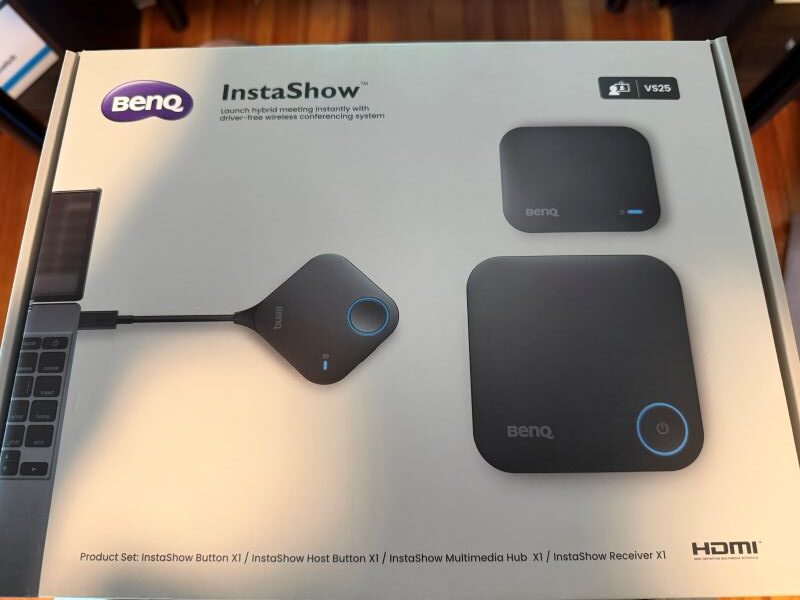
Editor’s Note: This hands-on review of the BenQ InstaShow VS25 reflects the author’s impressions based upon Commercial Integrator’s firsthand testing.
If I had to pick a single word to sum up the continuing refrain I hear from both integrators and their IT department collaborators, it is the desire for their meeting-room technology estates to be “frictionless.” The appetite for speed and simplicity — the metaphorical “easy button” — has never been greater. Meetings don’t fail because rooms lack features; instead, they fail because too many steps sit between the person walking in and the meeting starting. Every second spent downloading an app, hitting a network login wall or battling a locked-down laptop that refuses to cooperate is a second wasted.
Even the most technically impressive wireless conferencing workflows can unintentionally make that problem worse. Many software-based BYOM approaches rely on applications, drivers or network-based workflows that add steps for guests and IT teams alike. Apps, for instance, routinely add processing overhead to the presenter’s laptop and can cause compatibility headaches for guests. And of course, download-heavy setups tend to slow things down. That creates a simple challenge for integrators and technology managers: How do you deliver wireless BYOM conferencing without making users learn yet another meeting-room workflow?
I’m the first to admit that I’m a journalist rather than an early adopter. That makes me a reasonable stand-in for everyday enterprise end users who want to walk in, connect and get on with the meeting, never even having to think about the room’s technology infrastructure.

So, when I had the opportunity to test the BenQ InstaShow VS25, I had one question in mind: Does the product in fact remove friction, or does it simply relocate the friction? I wanted to see whether the BenQ approach actually simplified the meeting experience.
BenQ InstaShow VS25: Components and Initial Setup
Upon unboxing the VS25, I was struck by the purposefulness of the design. Nothing here is bulky or overdesigned. The package includes the InstaShow receiver unit, an InstaShow host button, an InstaShow button for presenters, an InstaShow multimedia hub and a cradle that keeps the buttons organized. The receiver is compact enough to sit unobtrusively on a credenza or mount cleanly out of sight; meanwhile, the buttons are light and easy to handle. Meanwhile, the multimedia hub is small enough to place anywhere in the room without risk of drawing undue attention.
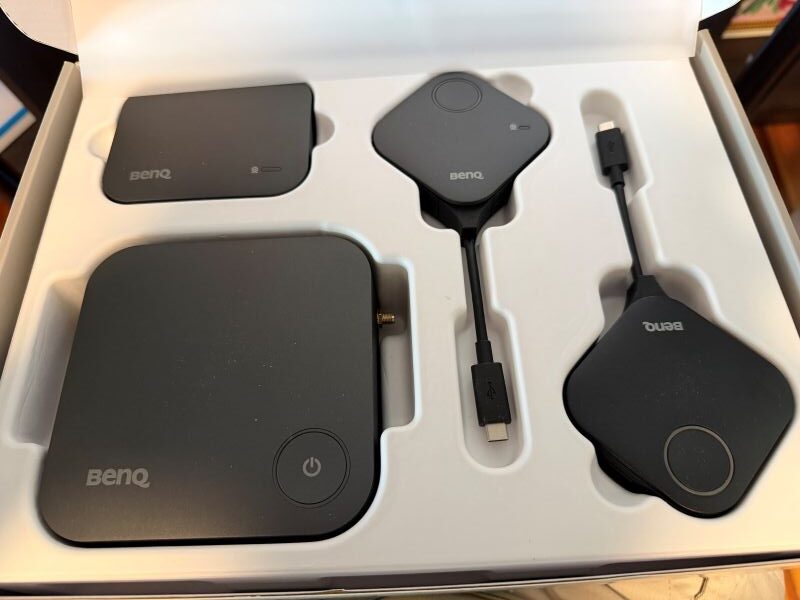
Additional InstaShow presenter buttons are available separately through authorized dealers, up to a maximum of 36. Photo by Emerald/Commercial Integrator.
The setup logic is surprisingly straightforward. You connect the room’s camera and audio to the multimedia hub via its USB-A and USB-C device ports. You connect the receiver to the display via HDMI. You drop the buttons into the cradle and plug the host button into a laptop via its native USB-C connector; under normal conditions, the system is ready to use. For laptops or source devices without USB-C, the button supports a toolless cable swap to a separate HDMI and USB-A connection.
What I found most striking is what I didn’t have to do. I didn’t have to download software. I didn’t have to install a driver. I didn’t have to play Whack-a-Mole with prompts nudging me to an app store. For a nontechnical user like me, that’s the difference between a five-minute setup and a support ticket. And at an enterprise scale, eliminating those small points of friction means fewer variables for users, fewer troubleshooting headaches for IT and a more consistent overall experience.
I’d call the VS25 plug-and-play for typical meeting-room deployments — and that was BenQ’s design intention.
An App-Free Experience
The heart of the VS25 is its app-free, driver-free design. Rather than routing the presenter’s screen through sometimes-cumbersome software layers, it treats the host button essentially as a wired monitor connection. What are the practical implications? For one, the meeting starts faster. This approach also helps avoid the processing overhead typically associated with app-based approaches. In my testing, that translated to a noticeably simpler start-to-meeting workflow.
The experience for guests is where the VS25 will likely stand out the most. The presentation workflow does not require joining the corporate network. This removes one of the most common stall points in shared spaces. With the VS25, a visitor plugs in a presenter button and shares. That’s the entire guest workflow — and that’s precisely the appeal.
The multimedia hub is the other standout. It connects the room’s USB camera and audio peripherals to the host laptop wirelessly through the VS25 system. The hub sits separately from the receiver, and the two components can be positioned independently in the room. This is important for integrators, who need flexibility when dealing with unconventional camera placements or table layouts. The upshot? A reduced need for USB cable runs snaking across a conference table.
The VS25’s platform support is noteworthy. The product is certified for Microsoft Teams, Zoom and Google Meet, with additional platforms set to be added over time. For most corporate use cases, however, those three cover the ground that matters the most.
The million-dollar question is whether removing the app truly does remove some friction. And honestly, it does. Fewer steps sat between me and a live meeting — and the ones that remained were physical and obvious, and they didn’t require me to navigate software menus.
BenQ InstaShow VS25: Performance, Compatibility and Room Practicality
On the wireless side, the VS25 runs on Wi-Fi 6 (IEEE 802.11ax), rated AX3000, across dual-band 2.4GHz and 5GHz frequencies. The system uses Wi-Fi 6 features including MU-MIMO and OFDMA, along with automatic channel selection. Why does this matter in real-world applications? Because it reduces manual wireless configuration for IT teams. Transmission distance is rated up to 40 meters with no obstacles. That empowers integrators with the flexibility to decide where hardware should live.
The VS25 can accommodate even demanding shared-room environments. It supports up to 64 simultaneous connections and pairs with up to 36 presenter buttons. That means the VS25 can be an arrow in an integrator’s quiver for small huddle spaces and for larger shared rooms alike. Up to four users can present simultaneously in a split-screen layout, enabling highly collaborative sessions.
Compatibility is broad, reflecting another top priority for both integrators and end users. USB-C and HDMI with HDCP are both supported natively, as are Chromebooks, media players with HDCP, and protocols including AirPlay, Google Cast and Miracast. HDCP compliance helps preserve compatibility with protected content workflows where permitted by the source device and application. The receiver also includes a 1Gbps RJ45 Ethernet port. That breadth matters in BYOD and BYOM environments where the room must accommodate the user’s device rather than requiring the user to accommodate the room.
The VS25 also supports 4K UHD transmission, allowing users to share high-resolution content while maintaining HDCP support. Touchback control adds another layer of interactivity, enabling presenters to control shared content directly from a compatible touch display. Together, those capabilities suit the system well for presentations that prioritize image quality and hands-on interaction.
For Technology Managers, There’s Much to Like
Although Commercial Integrator roots its analysis in integrators’ needs and pain points, the VS25’s design philosophy aligns equally well with technology managers’ priorities. Examples of the latter include operability without requiring guests to join the corporate network, with guests needing only to use presenter buttons. The system’s main presentation and conferencing workflow doesn’t depend on a cloud connection, either. On the security side, the VS25 utilizes AES128 encryption and CVSS 4.0 to protect transmitted data, which minimizes the risk of sensitive data leaks. Additionally, because there’s no app requirement, the system does not record your screen like other systems that use an app. This is an added layer of reassurance for security teams.
For teams that are standardizing rooms at scale, the practical appeal of the VS25 is clear. Automatic wireless channel management reduces manual IT configuration. The absence of software to install eases the burden on locked-down devices. Fewer downloads, logins and troubleshooting calls mean a faster, more repeatable deployment model.
BenQ InstaShow VS25: A Value-Centric Story
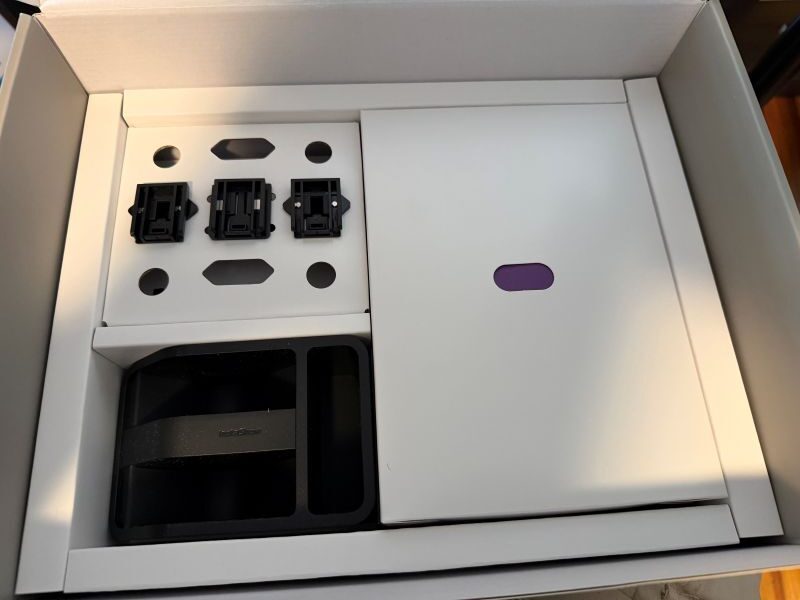
The package includes the receiver unit, a host button, a button for presenters, a multimedia hub and a cradle (pictured here) to keep the buttons organized. Photo by Emerald/Commercial Integrator.
Out of the box, the BenQ InstaShow VS25 ($1,999 MSRP) includes the receiver, host button, presenter button, multimedia hub and cradle. Additional presenter buttons are available separately through authorized dealers, up to a maximum of 36.
The value case extends well beyond a price conversation, though. With no software to install and no app to download, the ongoing support burden shrinks. There’s no subscription overhead to absorb across the product’s lifecycle. The hardware-first model trims setup time and reduces the troubleshooting that eats into integrators’ billable hours. Weighed against systems that carry ongoing software management or cloud service costs, the total cost of ownership is likely to compare favorably.
Of course, before making any decisions, organizations and their integrator partners should factor hardware management and lifecycle replacement into the long-term equation.
Closing Thoughts on the BenQ InstaShow VS25
Integrators specifying corporate meeting rooms, BYOM-heavy conference spaces and guest-facing collaboration environments should seriously consider the BenQ InstaShow VS25. It’s strongest where ease and predictability matter more than self-consciously expansive feature sets. It suits rooms that need to work reliably for everyone, every time, regardless of device or technical background.
The VS25 delivers what shared meeting spaces so often lack: a fast, repeatable, low-friction path from laptop to live meeting. For integrators collaborating with technology managers to design rooms centered on guest usability, device flexibility and support simplicity, the BenQ InstaShow VS25 earns its spot on your short list.