Finding the right training for a new hire often means scrolling through a course catalog and guessing which classes matter for that person’s job. Crestron is changing that approach for its dealers and partners.
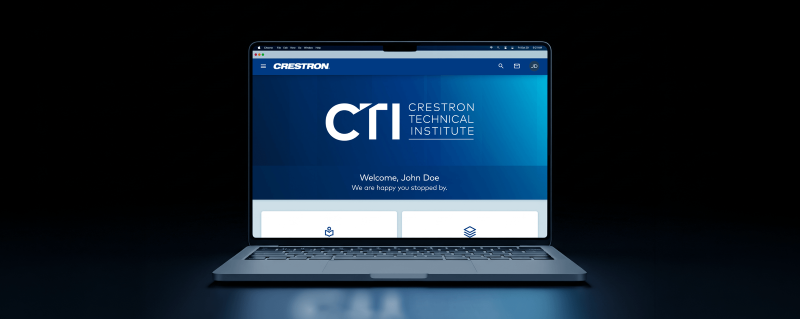
The Crestron Technical Institute has rebuilt its Learning Management System from the ground up. The new platform organizes courses around what people actually do on the job, not around how the catalog happens to be arranged.
Key Things to Know
- The Crestron Technical Institute has rebuilt its Learning Management System from scratch.
- Training now follows eight role-based pathways, from pre-sales through UI development.
- Every learner starts from a shared foundation, and the pathways stack so people don’t repeat material when their roles change.
- A new Administrator Portal lets company admins enroll teams, assign courses and pull training history reports.
- The Crestron Technical Institute is hosting a live webinar for dealers and partners to walk through the platform.
What Did Crestron Change About Its Training Platform?
Crestron rebuilt its entire Technical Institute Learning Management System and reorganized its course catalog around job functions. The catalog now centers on eight roles that are common across partner organizations worldwide.
Those roles follow the life of a project, from first contact with a customer through design, installation, commissioning and long-term support.

Chris Sgroe, Crestron’s senior director of global training and technical documentation, describes the goal, “If your team touches Crestron, there’s a clear path. No guesswork,” he says. “That’s why we recreated it from the ground up.”
Why Did Crestron Organize Training by Role?
Crestron organized training by role because catalog-based layouts can make it hard for learners to find the courses that fit their jobs. The new structure starts with what a person does and builds the training path from there.
“You’ll often see training built around the way a course catalog happens to be organized, and that can make it harder for the learner to find the path that fits their needs,” Sgroe says.
For integration firms, that means less time figuring out which courses a salesperson, a tech or a programmer should take first.
What Are the Eight CTI Learning Pathways?
The eight CTI learning pathways are:
- Pre-Sales
- Sales
- Design and Consulting
- Procurement
- Technician
- Commissioning and Support
- Custom Programming
- UI Development
Each pathway bundles relevant courses and certifications into focused collections. Learners can also filter each pathway by the vertical they work in, including commercial AV, residential and lighting.
How Does the Shared Foundation Work?
Every learner starts with the same shared foundation and then branches into the pathway that matches their role. That common base keeps the system progressive rather than repetitive.
The pathways are also stackable. When someone moves into a new role, they build on what they’ve already learned instead of starting from zero.
“That gives everyone a common starting point, and from there, each path is stackable,” Sgroe says.
He points to a technician who moves into commissioning as an example. That person isn’t starting over, because the base knowledge is already in place.
“The goal was simple: make it obvious what to learn, in what order and why it matters to the work you’re doing today,” Sgroe says.
How Do Learners Find and Enroll in Courses?
Learners can find courses by browsing role-based learning or by searching the full catalog. Crestron says online courses are now easier to enroll in, too.
The platform also lets learners track their own progress. Serena Cuna, Crestron’s senior manager of global training operations, says ease of use drove the redesign.
“One of the key goals for this platform is to make the entire experience easy from the moment you log in,” Cuna says. “Learners can quickly find the training that’s right for them and easily track their progress, while the new Administrator Portal gives company admins better visibility into their organization’s training records and the ability to enroll their teams in courses.”
What Does the New Administrator Portal Do?
The Administrator Portal gives company admins one place to manage their team’s Crestron training. It’s a new feature built specifically for those administrators.
From the portal, admins can:
- Pull training history reports for their organization
- Enroll team members in instructor-led sessions
- Assign online courses
For integrators who track certifications for bids, manufacturer programs or staff reviews, that puts training records in one view instead of scattered across individual accounts.
Can Students Communicate Directly With Instructors?
Yes, a new messaging layer gives instructors a direct line to students. It opens two-way communication between students and teachers inside the platform.
“Ultimately, it’s about creating a simpler, more connected experience for everyone,” Cuna says.
How Can Dealers and Partners See the New Platform?
Dealers and partners can see the platform during a live Technical Institute webinar on Tuesday, Dec. 15 at 11 a.m. The session includes a full, end-to-end walkthrough of the system.
The webinar will cover how pathways and certifications are structured and what’s next for Technical Institute training.
What Does This Mean for Commercial AV Integrators?
The rebuilt platform gives integrators a clearer way to map Crestron training to each person on their team. Instead of building training plans, you can point each employee to the pathway that matches their job.
The stackable design also fits how integration firms grow people. Techs move into commissioning, and programmers take on UI work. The pathways account for that movement, so prior training still counts.
The Administrator Portal may be the most practical change for owners and operations managers. Before the webinar, review who on your team touches Crestron systems, match each person to a pathway and decide who will manage enrollments and reporting through the portal.